One sentence: sharing gives someone permission to watch your video; transferring gives them the video. Once you've internalised that, the decision becomes obvious — but the consequences differ enough that it's worth a careful read.

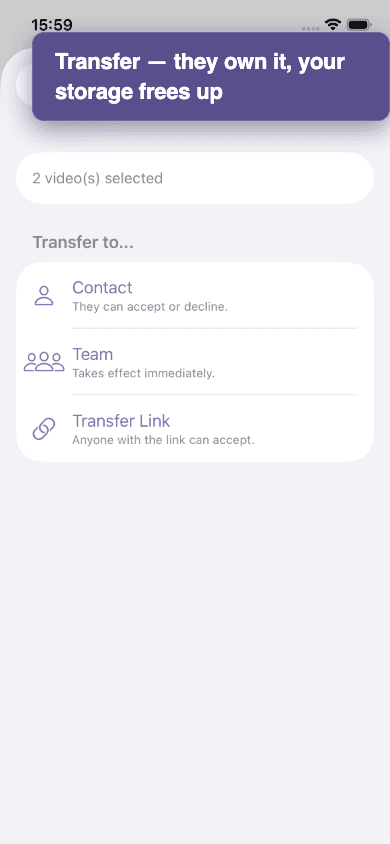
| Sharing | Transferring | |
|---|---|---|
| Who owns the video afterwards? | You. Always. | The recipient (or the team). |
| Can they re-share with someone else? | No. Recipients can watch but not redistribute. | Yes. The new owner can do anything you used to do. |
| Does the video count against my storage? | Yes — it's still your video. | No. It moves to their quota (and they need room). |
| Can I revoke? | Yes — revoke any time, instantly. | No. Once accepted, it's theirs. They can transfer it back if you both agree. |
| Does the recipient need an account? | Only for direct shares. Share links work for anyone. | Yes — transfers always go to a known account or team. |
| Default choice for… | Sending a round to your trainer or owner. Sharing publicly. Quick previews. | Videos shot on someone else's behalf (groom → rider, photographer → owner). Moving videos into a barn library. |
A worked example
Lisa is a groom. She films Sarah's round on her own phone and uploads it. The video is technically Lisa's — it's on her account, against her storage. Two ways to give Sarah access:
- Share with Sarah — Sarah can watch, but Lisa still owns the video. If Lisa deletes her account, Sarah loses access. If Lisa runs out of storage, this video counts toward her quota.
- Transfer to Sarah — Sarah accepts, and from that moment the video is hers. It moves out of Lisa's quota into Sarah's. Sarah can re-share, edit metadata, and delete it; Lisa can't.
For one-off rounds the groom filmed for the rider, transfer is almost always the right call. For "here's a video of your horse, what do you think?", sharing is enough.
Keep: a third way a video ends up owned
One more thing about sharing: a direct share is temporary. The owner picks how long it lasts — a day, a week, or a month — and it quietly expires afterwards. A share is a loan, not a gift.
So what if the person you shared with wants the video for good? They don't need you to transfer it. They can Keep their own independent copy, which survives even if you later delete or revoke the original. You stay the owner of yours; they own theirs.
Loan, gift, or copy
Mixing both
Transfers can be rejected