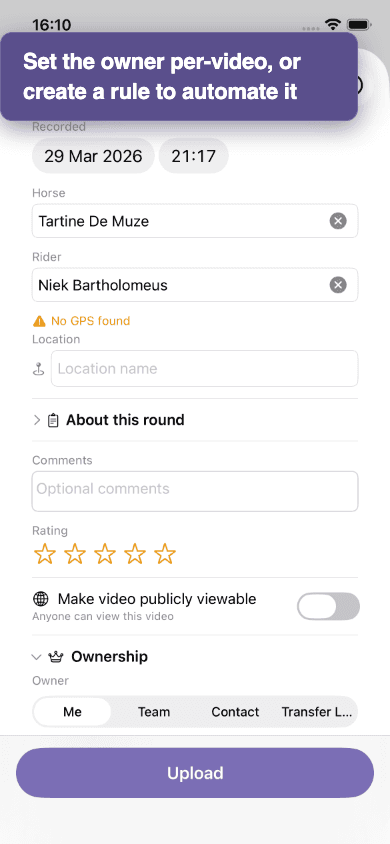
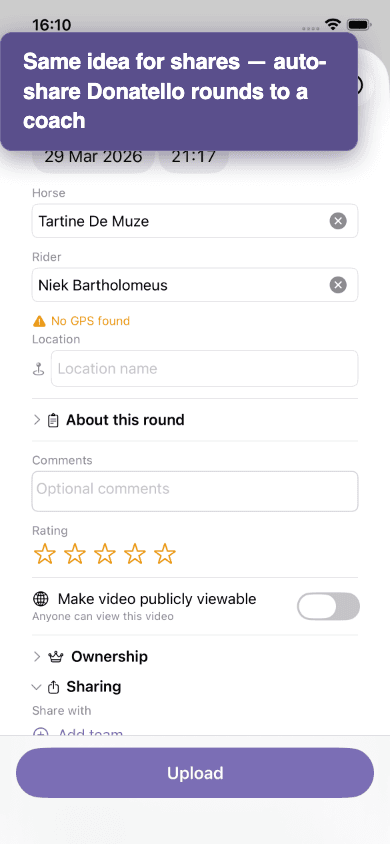
Rules turn manual sharing into a one-time setup. "Every video of Donatello goes to Sarah and Jan" — write that once, and every future Donatello round is shared automatically the moment it finishes processing.
Two kinds of rules
- Auto-share rules — a new video that matches the rule is shared with the chosen contacts or team. The video stays in your library and counts against your storage.
- Auto-transfer rules — a new video that matches the rule is transferred to the chosen owner (a person or a team). Storage moves with it.
Match conditions
A rule fires when a new upload matches all of its conditions. You can match on:
- Horse name
- Rider name
- Location (exact match or contains)
- Source (where the upload came from — web, iOS, etc.)
Where to manage rules
Account → Rules tab. Each rule shows its conditions, its action, and the count of videos it has affected.
Rules apply to future uploads, not past
A rule starts mattering from the moment you save it. Existing videos that would match are not retroactively shared or transferred. To bring older videos into a team, use the bulk-transfer flow — see Transfer ownership.
Rules need clean metadata
A rule on horse "Donatello" only fires when an upload has the horse name set to exactly "Donatello". Sloppy spelling (Donatello/donatello/Donatello Z) means the rule misses. See Tag your videos.